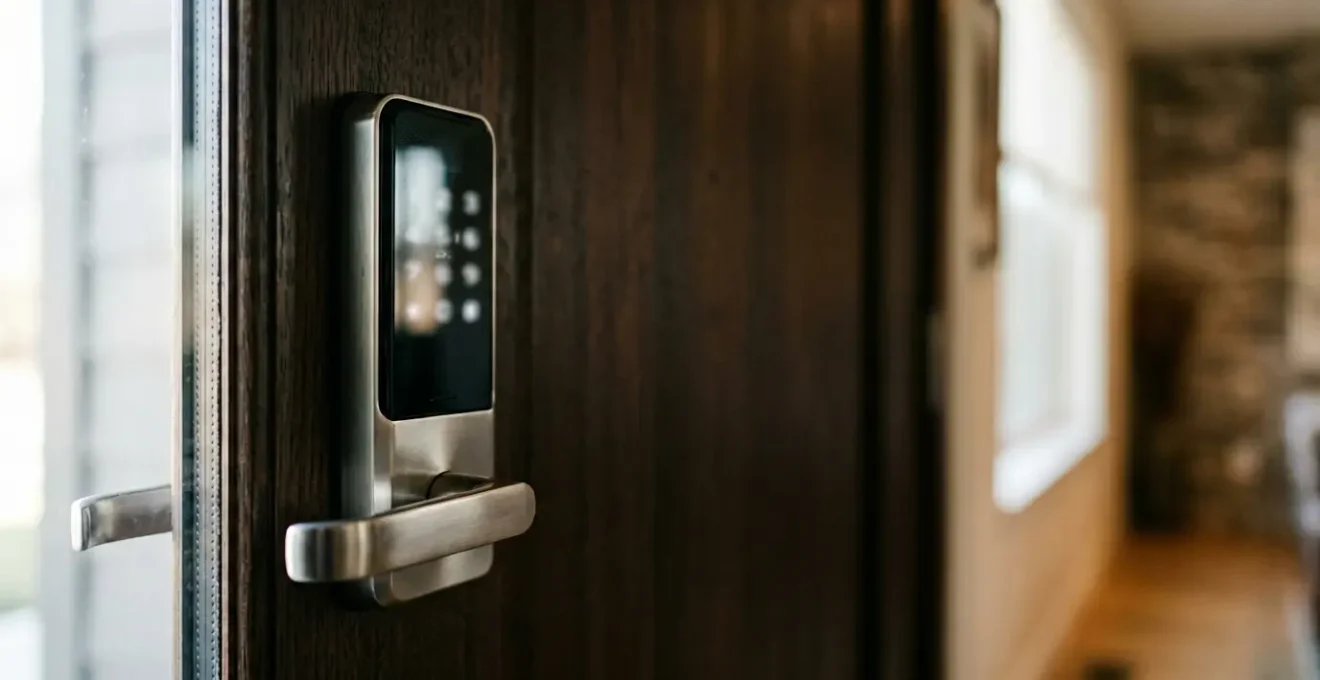
Most people believe the primary danger of a smart lock is a sophisticated cyberattack. The reality is far more mundane and therefore more dangerous: the greatest security risk comes from neglected physical maintenance, poor user habits, and a misplaced trust in “set-it-and-forget-it” convenience. This guide exposes that the true vulnerability lies at the intersection of mechanical failure and human error, offering a realistic framework for securing your digital-first entryway.
The decision to trade a physical key for a digital code represents a fundamental shift in how we perceive home security. For the skeptical homeowner, it’s a constant balancing act. On one side, there’s the undeniable allure of convenience: keyless entry, temporary access for guests, and the ability to lock your door from anywhere in the world. On the other, a persistent worry about digital vulnerability—what if a hacker gets in?
Discussions around smart lock safety often circle the same topics: the strength of your Wi-Fi password, the risk of Bluetooth sniffing, and the importance of choosing a reputable brand. While these are valid points, they miss the most critical threat. The hacking risk that few talk about isn’t a shadowy figure in a dark room exploiting a zero-day vulnerability. It’s the slow, silent decay of the lock’s physical integrity and the erosion of our own security discipline.
But what if the real key to smart lock security isn’t just about building higher digital walls, but about diligently maintaining the physical gate? This guide moves beyond the hypotheticals of cyber warfare to focus on the tangible, manageable risks that pose a far greater threat to your home. We will dissect the entire lifecycle of a smart lock, from managing temporary access and surviving a dead battery to the often-ignored necessity of mechanical maintenance. By understanding these operational risks, you can finally achieve the right balance between modern convenience and genuine peace of mind.
In this article, we will explore the practical realities of smart lock ownership. By shifting focus from abstract hacking fears to concrete maintenance and usage protocols, you’ll gain the knowledge to make your smart home truly secure.
Summary: A Realistic Assessment of Smart Lock Vulnerabilities
- How to Create Temporary Codes for Dog Walkers and Cleaners?
- What Happens When the Battery Dies? Emergency Access for Smart Locks
- Why You Should Link Your Smart Lock to Your Video Doorbell
- Smart Deadbolt vs. Retrofit Interior Lock: Which Is Best for Renters?
- The Risk of Geofence Unlocking: Could Someone Unlock Your Door by Stealing Your Phone?
- The $500 Front Door Makeover That Selling Agents Swear By
- How to Lubricate Awning Arms for Smooth Operation?
- Where to Place Motion Sensors to Avoid False Alarms From Pets?
How to Create Temporary Codes for Dog Walkers and Cleaners?
One of the primary benefits of a smart lock is the ability to grant access without handing out physical keys. However, this convenience creates a new form of access liability. Many users simply text a main code to a service provider, creating a permanent security vulnerability. In fact, a recent smart lock security survey found that while 78% of people who plan to travel share their smart lock access codes, an alarmingly low 8% use temporary codes that automatically expire. This lack of security discipline is a far more common risk than a brute-force hack.
The solution is to treat every shared code as a potential long-term risk and manage it accordingly. Instead of sharing your primary family code, you must leverage the temporary access features built into your lock’s software. This involves creating unique codes for every individual service provider—the dog walker, the cleaner, the contractor—and, most importantly, defining a strict expiration for that code. The goal is to ensure the digital key exists only for the duration it’s needed.
Implementing a rigorous protocol for temporary access is not just a suggestion; it is a fundamental aspect of secure smart lock ownership. This means setting codes that are not only time-boxed but also regularly audited. Reviewing your lock’s access logs should become a weekly or bi-weekly habit. This allows you to confirm that temporary codes were used as expected and to spot any anomalies that could indicate a compromised code or a misunderstanding with a service provider. This active management is the core of smart lock security discipline.
What Happens When the Battery Dies? Emergency Access for Smart Locks
For any skeptical homeowner, the most pressing practical question is: “What happens when the battery dies? Am I locked out forever?” This scenario is a critical test of a device’s “graceful failure” design. A well-engineered smart lock doesn’t just die; it provides multiple, layered warnings and, crucially, a non-digital emergency access method. According to smart lock manufacturers, most smart locks provide multiple warning indicators including app notifications, flashing LEDs, and audible beeps long before the power is completely depleted.
Ignoring these warnings is a failure of user maintenance, not lock technology. However, in the event these warnings are missed, manufacturers have built in a physical failsafe. This is where the concept of the digital-mechanical interface becomes clear; the digital controls are useless without power, but a physical override ensures access.
The 9V Battery Jump-Start Method: An Analysis of Emergency Access
Most modern smart locks from brands like Schlage, Yale, and August feature external battery contact terminals, often concealed near the bottom of the exterior unit. These are not for data transfer but purely for emergency power. When the internal batteries are fully depleted, a user can hold a standard 9V battery against these terminals. This provides just enough temporary power to activate the keypad or fingerprint sensor, allowing the user to enter their code and gain access. While this is a critical fail-safe, security researchers note the theoretical risk of attackers using these terminals to inject voltage spikes. Though no widespread exploits have been documented, this highlights why regular battery maintenance is the first and best line of defense, making the jump-start a true last resort.
This emergency power solution is a brilliant piece of practical engineering. It acknowledges that all batteries eventually fail and provides a simple, universally available solution. The image below shows a close-up of this critical feature.
As you can see, the emergency terminals are designed for simple, direct contact. This method bypasses the dead internal batteries entirely, powering the lock’s brain just long enough to operate the deadbolt. It’s a testament to a design philosophy that prioritizes access above all, but it underscores the user’s responsibility to proactively manage the device’s power.
Why You Should Link Your Smart Lock to Your Video Doorbell
In a smart home, no device is an island. Linking your smart lock to a video doorbell can create a powerful security partnership, but it also introduces the risk of ecosystem vulnerability. When two devices are connected, a weakness in one can compromise the other. With recent cybersecurity research revealing that smart home cyber attacks have surged to 29 attempts per household daily, securing every link in the chain has become paramount.
The primary benefit of integration is contextual awareness. When someone uses a code at your door, the doorbell can automatically record a clip, providing visual confirmation of who entered and when. This turns a simple “access granted” log entry into a verifiable event. It helps answer questions like, “Was that the dog walker, or did her son use the code?” This level of verification is a significant step up from a simple text-based log.
However, this integration also means that the security of your lock is now partially dependent on the security of your doorbell. A poorly secured doorbell with an easily guessable password or outdated firmware could potentially become a gateway to your entire smart home system. As security experts from the SecureIoT.house research team warn, this is not a theoretical risk:
In 2025, a critical vulnerability in popular smart doorbell firmware allowed attackers to unlock doors remotely. The manufacturer released a patch, but 67% of affected devices remained unpatched six months later because users didn’t know updates were available.
– SecureIoT.house Research Team, Smart Home Security in 2026: The Rising Threat Landscape
This stark example illustrates that the biggest risk is often user inaction. The decision to link your devices must be paired with a commitment to maintaining both: enabling two-factor authentication, using strong, unique passwords for each device, and—most importantly—installing firmware updates as soon as they are available. A linked system that is diligently maintained is far more secure than two separate, unmaintained devices.
Smart Deadbolt vs. Retrofit Interior Lock: Which Is Best for Renters?
For renters, the desire for smart home convenience often clashes with the constraints of a lease agreement. A full smart deadbolt replacement involves changing the entire lock mechanism, a modification most landlords forbid. This has led to the rise of retrofit smart locks, which install on the interior side of the door, using the existing deadbolt hardware. This choice isn’t just about following rules; it’s about the physical integrity of the digital-mechanical interface.
A full deadbolt replacement offers a seamlessly integrated system, designed from the ground up to work together. A retrofit lock, by contrast, is an intelligent motor clamped onto a “dumb” mechanism. Its performance is entirely dependent on the quality and condition of the existing lock. If the original deadbolt is old, stiff, or poorly aligned, the retrofit motor will struggle, leading to jams, incomplete locking, and rapid battery drain. For a renter, the primary advantage of a retrofit lock is its non-destructive nature, preserving the original hardware and simplifying the move-out process.
The image below showcases the typical interior-only installation of a renter-friendly retrofit lock, leaving the exterior appearance of the door completely unchanged.
Even with a non-destructive retrofit model, obtaining permission from your landlord is not just a courtesy—it’s a critical step to protect yourself. A landlord may have concerns about emergency access, security protocols, or the potential for digital lockouts. Proactively addressing these concerns with a clear plan is essential for a smooth experience.
Your Action Plan: The Landlord Approval Strategy
- Get written permission: Always request landlord approval in writing before installation, even for non-destructive retrofit models, to protect against security deposit disputes. A clear “yes” in an email is crucial evidence.
- Document the original setup: Before touching anything, photograph the existing lock hardware from multiple angles to prove you can restore the door to its original, undamaged condition upon moving out.
- Emphasize landlord benefits: Frame the request around their gains. Highlight how smart locks can eliminate re-keying costs between tenants and provide secure, logged maintenance access for property managers.
- Offer master access: Assure the landlord that their access is preserved. Provide them with admin rights to the system or, more simply, confirm that their original physical key will continue to function with the retrofit model.
- Plan your exit strategy: Before you move out, have a plan. This includes performing a factory reset on the device, deleting the lock from your personal account, and carefully reinstalling the original hardware.
The Risk of Geofence Unlocking: Could Someone Unlock Your Door by Stealing Your Phone?
Geofence auto-unlocking is the peak of smart lock convenience: your door simply unlocks as you approach. This feature transforms your smartphone into your primary house key. Given that smartphone-based authentication accounted for the largest market revenue share in smart locks in 2024, understanding the risks associated with this phone-centric approach is vital. The core question is: if someone steals your phone, can they walk right into your home?
The answer is, “It’s complicated.” Geofencing isn’t a single technology; it’s a system that relies on a combination of GPS, Wi-Fi, and Bluetooth signals to determine your location. Each method has different levels of accuracy and security, and the risk of a “false positive” (unlocking when you’re just driving by) varies. A stolen phone is a serious security breach, but most geofencing systems have secondary safeguards. For the system to work, the thief’s location would need to enter the geofence, and the phone itself would need to be unlocked to allow the smart lock app to communicate via Bluetooth. Adding a passcode or biometric lock to your phone is the first and most critical layer of defense.
However, the precision of the geofence itself is a major factor in its security. A large, GPS-based geofence might unlock the door when you’re still down the street, creating a window of opportunity. A more precise system that relies on connecting to your home’s Wi-Fi network is better, but the most secure methods require direct Bluetooth proximity. The following table breaks down the trade-offs.
| Geofencing Method | Accuracy Range | Security Level | False Positive Risk | Best Use Case |
|---|---|---|---|---|
| GPS-Based | 30-100 meters | Medium | High – Can trigger from street or nearby locations | Large properties with significant setback from street |
| Wi-Fi Connection | 10-30 meters | Higher | Medium – More precise but can trigger from sidewalk | Urban apartments or homes close to street |
| Bluetooth Proximity | 1-10 meters | Highest | Low – Requires very close proximity | Maximum security with minimal premature unlocking |
| Two-Factor (Geofence + Biometric) | Varies by primary method | Highest | Very Low – Requires location + manual confirmation | Recommended for all scenarios prioritizing security over pure convenience |
Ultimately, the most secure approach is to use a two-factor system: the geofence triggers a notification on your phone or smartwatch, and you must manually approve the unlock. This sacrifices some convenience but eliminates the risk of accidental or unauthorized entry. It’s the ultimate expression of security discipline in a digital world: using technology to assist, not to abdicate, your final security decision.
The $500 Front Door Makeover That Selling Agents Swear By
In the world of real estate, curb appeal is king, and the front door is its crown jewel. A modest investment in this single area can yield significant returns in perceived value. While a fresh coat of paint, new house numbers, and a stylish planter are classic components, the modern agent’s secret weapon is the smart lock. It’s more than just a gadget; it’s a powerful signal to potential buyers that a home is updated, secure, and convenient.
With market research indicating that 60% of Americans are projected to adopt smart home technology by 2025, a smart lock is no longer a niche feature but an expected upgrade, especially for Millennial and Gen Z buyers. It immediately elevates the property, transforming a standard entryway into a tech-forward statement. For a seller, it’s a relatively small expense that can help justify a higher asking price and create a memorable impression that distinguishes the home from others on the market.
The key to success is integrating the smart lock’s design with the home’s overall aesthetic. A bulky, futuristic lock on a historic colonial home can feel jarring. Conversely, a sleek, minimalist smart lock can perfectly complement a modern entryway. The goal is to make the technology feel like a natural, thoughtful extension of the home’s character. Here are key strategies for aesthetic and functional integration:
- Match finish to existing hardware: Coordinate smart lock finishes (matte black, brushed nickel, oil-rubbed bronze) with door hinges, house numbers, and lighting fixtures for cohesive curb appeal.
- Consider architectural style: Pair sleek minimal designs with modern homes, while choosing smart locks with traditional profiles for craftsman or colonial architecture.
- Leverage real estate showing features: Program unique, time-limited access codes for each agent showing, creating a secure audit trail that appeals to security-conscious buyers.
- Highlight tech-savvy appeal: Position the smart lock as a premium feature in listing descriptions to attract buyers who value smart home integration.
- Create a ‘connected home’ narrative: Bundle the smart lock presentation with other smart features (doorbell camera, thermostat) to justify premium pricing and faster sale velocity.
How to Lubricate Awning Arms for Smooth Operation?
This title may seem out of place, but the principle it represents is at the very heart of the unspoken smart lock risk: mechanical maintenance. We get so focused on the digital “smarts”—the app, the codes, the integrations—that we forget a smart lock is still a physical lock. It’s a motor, a set of gears, and a metal deadbolt moving in and out of a door frame. If that physical mechanism fails, the digital brain is rendered useless.
Just as an awning arm needs lubrication to operate smoothly and prevent strain on its motor, a smart lock’s deadbolt mechanism requires periodic care. Dust, debris, temperature fluctuations, and the natural settling of a house can cause the bolt to bind or misalign. This forces the lock’s internal motor to work harder, draining the battery and eventually leading to motor burnout or a jammed bolt—a catastrophic failure that could lock you out (or fail to lock at all).
This isn’t a hack; it’s neglect. It is the slow decay of the digital-mechanical interface, and it is arguably the single greatest threat to your smart lock’s long-term reliability and security. Security professionals often point to this as the most common point of failure.
Mechanical Maintenance: The Overlooked Security Risk in Smart Locks
Security experts emphasize that the biggest vulnerability in many smart lock systems isn’t digital hacking—it’s mechanical failure from neglect. When smart lock deadbolts aren’t properly maintained, they can jam, struggle to extend or retract, or fail to lock completely. This creates both a security risk (door not fully secured) and an access risk (owner locked out). Regular lubrication of the bolt mechanism with a dry, graphite-based lubricant every 6-12 months is recommended, along with cleaning keypad surfaces and checking battery compartment seals against moisture. A smart lock that struggles, groans, or hesitates mechanically is a lock on the verge of failure, compromising home security regardless of its sophisticated digital features.
A simple seasonal check-up can prevent the vast majority of these mechanical issues. It’s a core component of the security discipline required for any smart device, transforming you from a passive user into a proactive owner.
Key Takeaways
- The greatest smart lock threat is often mechanical failure or poor user habits, not sophisticated digital hacking.
- Proactive “security discipline”—including regular maintenance, reviewing access logs, and managing temporary codes—is non-negotiable for safe operation.
- A smart lock’s security is only as strong as its weakest connected device; the entire ecosystem of your phone, doorbell, and Wi-Fi network must be secured.
Where to Place Motion Sensors to Avoid False Alarms From Pets?
Integrating motion sensors with your smart lock can elevate your home’s IQ, creating automated routines that enhance both security and convenience. However, a poorly implemented system can become a nuisance, bombarding you with false alarms from pets, passing cars, or blowing leaves. According to research from Parks Associates, 40% of U.S. internet households with connected home devices have at least one multi-device integration, making intelligent automation a mainstream practice. The key is designing routines that are genuinely smart.
The question of where to place sensors to avoid false alarms from pets is a perfect example of this challenge. Placing a sensor too low will trigger an alert every time your dog walks by. The solution often involves using “pet-immune” sensors that ignore motion below a certain weight or height, and placing them strategically to monitor human-level activity. But the real power comes from using multiple data points to create nuanced automation rules. Instead of “If motion, then alert,” a smarter routine might be “If outdoor motion is detected for more than 90 seconds AND the door is not unlocked, then send a ‘potential loitering’ alert.”
This level of detailed automation is where a smart lock and sensor ecosystem truly shines. It allows you to build a system that understands context, reducing false alarms and providing more meaningful security alerts. The table below illustrates several scenarios where sensor and lock integration creates a smarter, more secure home.
| Automation Scenario | Trigger Condition | Smart Lock Action | Supporting Device | Security Benefit |
|---|---|---|---|---|
| Pet-Safe Auto-Lock | Door closed + no motion detected for 30 seconds | Engage deadbolt | Pet-immune motion sensor near door | Ensures door locks without false triggers from pets |
| Away Mode Activation | No motion detected for 1 hour + lock engaged | Enable enhanced alert mode | Interior motion sensors throughout home | Sends high-priority alerts for any unexpected lock activity |
| Porch Pirate Deterrence | Outdoor motion detected for 90+ seconds without unlock | Send ‘potential loitering’ alert | Outdoor motion sensor + doorbell camera | Proactive notification of suspicious activity before theft attempt |
| Door Status Confirmation | Lock engaged + door sensor confirms closed | Update status to ‘secured’ | Magnetic door sensor | Eliminates ‘Did I close the door?’ anxiety with definitive confirmation |
| Backup Key Alert | Physical key used to unlock | Trigger video recording + high-priority notification | Video doorbell camera | Monitors for unauthorized use of physical backup keys |
These routines transform a collection of individual devices into a cohesive security system. They demonstrate a sophisticated form of security discipline, where you have proactively defined what is normal and what constitutes a threat, allowing the system to work for you intelligently.
Securing your home with a smart lock is not a one-time installation; it’s an ongoing commitment to a new kind of security discipline. It requires you to be a vigilant digital gatekeeper, an attentive mechanical custodian, and a thoughtful system architect. By embracing these roles, you move beyond the passive fear of being hacked and into a position of active, informed control. The result is a home that is not only more convenient but genuinely more secure. Start today by performing a simple mechanical check of your deadbolt’s movement and reviewing your lock’s access logs for the past week.