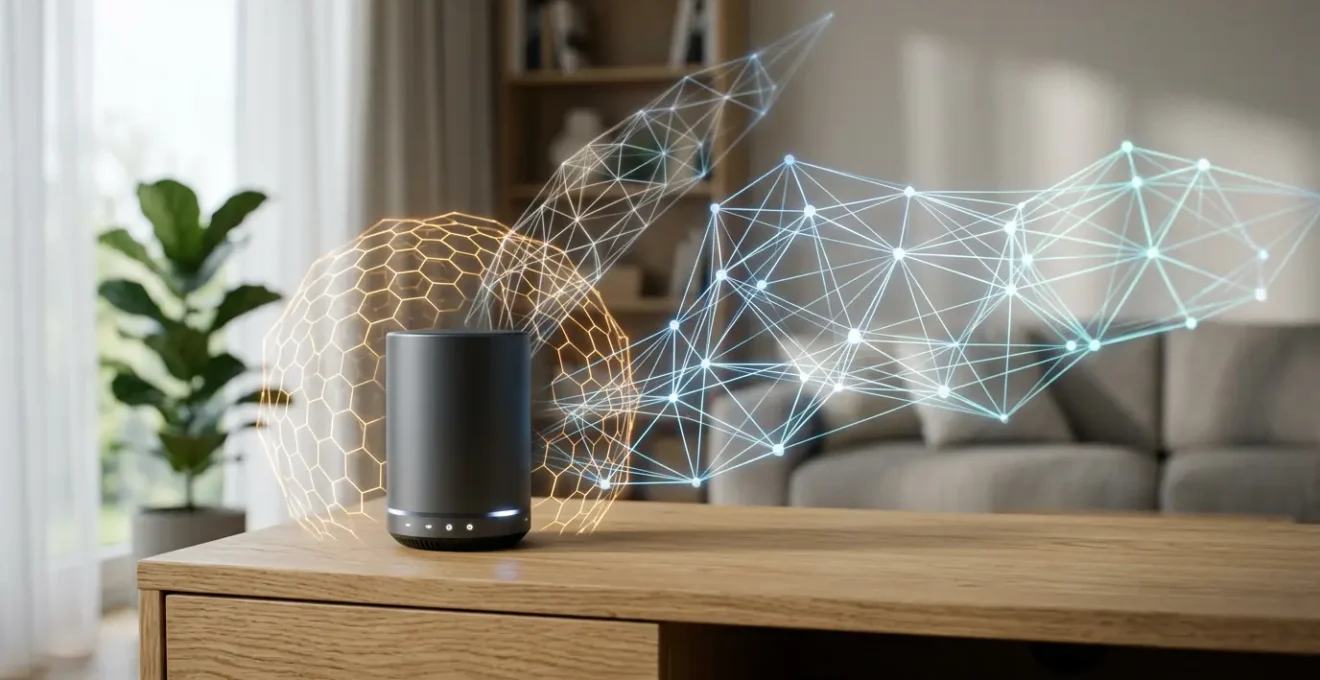
The debate over Matter vs. Zigbee is a distraction; a truly future-proof smart home is built on protocol-agnostic principles of reliability, not allegiance to a single standard.
- Local processing is non-negotiable for speed and offline resilience, regardless of the protocol used.
- Network health, determined by hub placement and RF interference management, has a greater impact on reliability than the protocol itself.
Recommendation: Instead of replacing existing Zigbee/Z-Wave devices, invest in a robust bridging strategy and focus on creating a stable, locally-controlled network architecture.
For any tech buyer considering a smart home investment, a specter looms: obsolescence. The rapid evolution of standards creates a legitimate fear of sinking hundreds or thousands of dollars into a system that becomes a digital relic in a few years. The current conversation is dominated by a seemingly simple choice: the established, reliable Zigbee, or the new, unifying Matter protocol. This binary framing suggests a winner-takes-all battle where choosing incorrectly leads to a dead end. This perspective, however, is fundamentally flawed.
From a historical standpoint of technology standards, new layers rarely obliterate what came before; they abstract and integrate. The key to a future-proof smart home isn’t about betting on a single protocol “winner.” It’s about understanding the architectural principles that ensure a system is fast, reliable, and adaptable. These principles—local control, network resilience, and strategic bridging—are protocol-agnostic. They are the true foundation of a smart home that will not only survive the next wave of standards but will seamlessly incorporate it.
This article will not declare a victor between Matter and Zigbee. Instead, it will provide a forward-looking, cautious framework for building a resilient smart home ecosystem. We will deconstruct the core components of reliability, from where you place your hub to how you manage your home’s invisible radio frequency environment, and demonstrate how bridging, not replacing, is the most intelligent path forward.
This guide delves into the foundational pillars of a truly resilient and future-proof smart home. By exploring each aspect, you will gain the strategic knowledge to build a system that lasts, regardless of which new protocol emerges tomorrow. The following sections break down these critical concepts.
Summary: Building a Resilient Smart Home Beyond a Single Protocol
- Local vs. Cloud Processing: Why You Should Process Automations Locally?
- How to Use Smart Plugs as Repeaters to Extend Your Hub’s Range?
- Why Putting Your Hub in a Closet Is Killing Your Smart Home Reliability?
- Microwaves and Baby Monitors: What Is Interfering With Your 2.4GHz Hub?
- Why Your IoT Devices Are Slowing Down Your Home Wi-Fi Network?
- Matter Protocol: Will Your Old Smart Devices Work With the New Standard?
- How Rain Sensors on Pergolas Protect Your Furniture When You’re Not Home
- How to Switch From Alexa to HomeKit Without Replacing All Your Devices?
Local vs. Cloud Processing: Why You Should Process Automations Locally?
The first and most critical principle in building a resilient smart home is deciding where your “thinking” happens. An automation—like a motion sensor turning on a light—can be processed either in the cloud or locally on a hub within your home. While cloud-based platforms are common, they introduce significant vulnerabilities. When your internet connection drops, a cloud-dependent system becomes useless. Furthermore, every command travels from your home to a distant server and back, introducing noticeable lag. This is not a theoretical problem; performance testing shows a stark difference, with local hubs offering response times of 10-20 milliseconds compared to the 300ms or more common with cloud systems.
A strategic shift towards local processing is already underway. While a comprehensive market analysis reveals that cloud-based solutions held 68.9% of the market share, it also highlights that on-premise, or local, solutions are advancing rapidly. This trend is driven by a growing user understanding that true reliability means independence from the internet. When automations run locally, they are not only faster but they continue to function perfectly during an internet outage. This principle of offline resilience is the bedrock of a future-proof system. Choosing a hub that prioritizes local control is the single most important decision you can make to avoid a system that fails when you need it most.
This focus on local execution ensures your home’s core functions remain autonomous and lightning-fast. Building on this foundation of reliability requires addressing the physical network itself, ensuring the signals that carry these commands are strong and consistent throughout your home.
How to Use Smart Plugs as Repeaters to Extend Your Hub’s Range?
Once you’ve established local processing, the next layer of resilience is the physical network. Protocols like Zigbee and Z-Wave don’t rely on a single point-to-point connection with the hub. Instead, they create a mesh network. In this topology, mains-powered devices—such as smart plugs, in-wall switches, or even certain light bulbs—act as signal repeaters or “routers.” Each repeater strengthens and extends the network, passing messages along to devices that might be too far from the central hub to communicate directly. This creates a self-healing, robust web of connectivity.
The strategic placement of these repeaters is crucial for creating a reliable mesh. Simply plugging them in is not enough. To build a stable network, you should aim to have a repeater roughly every 10 meters, creating overlapping zones of coverage. This is especially important in multi-story homes, where placing a repeater on each floor is essential to bridge the vertical gap. The image below illustrates how a simple, mains-powered device can serve as a crucial link in the chain, ensuring a device in a distant room maintains a strong connection.
By consciously using smart plugs and other powered devices not just for their primary function but also as network infrastructure, you actively build out the range and reliability of your entire system. This turns a potential weak point—a distant sensor losing connection—into a strength. However, the effectiveness of this mesh network is still dependent on the starting point: the location of the central hub itself.
Why Putting Your Hub in a Closet Is Killing Your Smart Home Reliability?
The most powerful mesh network can be crippled by one simple mistake: poor placement of the central coordinator, or hub. It’s a common impulse to hide technology away in a basement, a utility closet, or a media cabinet for aesthetic reasons. This is a critical error that creates long-term “architectural debt.” Radio signals are physical phenomena; they are blocked and reflected by walls, metal, and even water pipes. Hiding your hub is like putting a lighthouse in a cellar. A staggering 60% of connectivity issues in smart homes are directly tied to signal interference or suboptimal hub placement.
The ideal location for a smart hub is as central as possible within your home’s floor plan, out in the open. A wooden bookshelf in a main living area is a far better choice than a metal AV rack. The goal is to give the hub’s antenna the clearest possible line of sight to the greatest number of devices. This central positioning minimizes the number of “hops” a signal needs to make through the mesh network, reducing latency and potential points of failure. The visual below demonstrates this principle, showing a hub placed in an open, central location, allowing its signal to propagate freely.
Treating your hub placement as a foundational architectural decision, rather than an aesthetic afterthought, is paramount. Elevating it and keeping it away from dense materials and electronic clutter ensures the “heart” of your smart home has the strongest possible “voice.” Even with perfect placement, however, this voice can be drowned out by invisible noise from other household devices.
Microwaves and Baby Monitors: What Is Interfering With Your 2.4GHz Hub?
Even with a perfectly placed hub and a robust mesh network, your system’s reliability can be mysteriously undermined. The culprit is often radio frequency (RF) interference. Many smart home protocols, including Zigbee, Thread (used by Matter), Wi-Fi, and Bluetooth, operate in the crowded 2.4GHz radio band. This frequency is like a public highway with a limited number of lanes. When too many devices try to “talk” at once, signals get dropped, corrupted, or delayed. This is the essence of RF interference.
Many common household appliances are significant sources of this interference. A running microwave oven, for example, floods the 2.4GHz spectrum, potentially knocking nearby smart devices offline temporarily. Old cordless phones, some baby monitors, and even unshielded USB 3.0 cables can generate enough electronic “noise” to destabilize your network. Managing this “RF hygiene” is a key component of a resilient system. This involves physically moving your hub away from known offenders and, more strategically, configuring your network channels to avoid the busiest lanes. For instance, since Wi-Fi typically occupies channels 1, 6, and 11, setting your Zigbee network to channel 15, 20, or 25 can create a clearer communication path.
The following table, based on extensive research into smart home interference, identifies common culprits and effective mitigation strategies.
| Interference Source | Frequency | Impact Level | Mitigation Strategy |
|---|---|---|---|
| Microwave Ovens | 2.4 GHz | High (during operation) | Maintain 3+ meter distance from hub |
| Wi-Fi Routers | 2.4 GHz | High (continuous) | Change Zigbee channel to avoid Wi-Fi channels 1, 6, 11 |
| Baby Monitors | 2.4 GHz | Medium-High | Switch to 5 GHz or DECT models |
| Cordless Phones | 2.4 GHz | Medium | Replace with DECT 6.0 models (1.9 GHz) |
| Bluetooth Devices | 2.4 GHz | Low-Medium | Uses frequency hopping, generally coexists well |
| USB 3.0 Cables/Hubs | EMI in 2.4 GHz range | High (if near Zigbee) | Use USB 2.0 ports or shielded cables, maintain distance |
By understanding and actively managing these invisible forces, you can dramatically improve the stability of your smart home. This problem is particularly acute for systems that rely heavily on Wi-Fi for every single device.
Why Your IoT Devices Are Slowing Down Your Home Wi-Fi Network?
A common but flawed approach to building a smart home is to connect every device—every bulb, plug, and sensor—directly to Wi-Fi. While this seems simple initially, it creates significant “architectural debt” that degrades the performance of your entire home network. Wi-Fi operates on a principle of airtime contention; only one device can transmit on a given channel at any single moment. Your router may be fast, but it’s like a conversation where everyone has to wait their turn to speak.
When you add dozens of chatty, low-bandwidth IoT devices to this conversation, they consume valuable airtime. Even when idle, many Wi-Fi smart devices maintain a constant connection, sending small “heartbeat” packets that clog the airwaves. This leaves less available time for your high-bandwidth activities, like video streaming, online gaming, or video calls. The result is a sluggish network for everyone, where your smart light bulb is, in effect, slowing down your Netflix stream. This is why dedicated low-power mesh protocols like Zigbee and Z-Wave are architecturally superior for most sensor and control applications. They operate on their own network, offloading that traffic from your critical Wi-Fi bandwidth.
This is where the new Matter standard offers a nuanced path. While Matter can run over Wi-Fi, it also runs over Thread, a low-power mesh protocol similar in concept to Zigbee. A wise strategy is to reserve your Wi-Fi network for high-bandwidth devices (laptops, TVs, phones) and use Thread or Zigbee for your wider IoT network. This segmentation is a core principle of building a high-performance, resilient home network.
Matter Protocol: Will Your Old Smart Devices Work With the New Standard?
With a solid understanding of local control and network hygiene, we can now properly contextualize Matter. Matter is not a revolutionary new radio technology; it’s an application layer standard designed to make devices from different brands interoperable. Its promise is to break down the walled gardens of Apple, Google, and Amazon. The crucial question for a tech buyer is: does this make my existing Zigbee and Z-Wave devices obsolete?
The answer, emphatically, is no. The architects of Matter anticipated this problem and built the solution directly into the standard: the Matter Bridge. A bridge is a device or software that acts as a translator. It takes devices speaking one protocol (like Zigbee) and exposes them to a Matter network as if they were native Matter devices. This means your years-long investment in a robust Zigbee mesh network is not lost. In fact, it becomes a powerful, reliable foundation that can be integrated into the new, unified Matter ecosystem. There are three clear paths to Matter compatibility:
- Native Matter: Purchase new devices certified to work with Matter out of the box.
- Firmware Upgrade: Some existing hubs and devices (like those from Philips Hue) can be updated via software to become Matter-compatible.
- Bridged Matter: Use a Matter-compatible hub or bridge software (like Homey or Homebridge) to connect your entire existing Zigbee/Z-Wave network to Matter.
This bridging strategy is the key to future-proofing. It allows you to adopt the new interoperability benefits of Matter without a costly and wasteful “rip and replace” of your existing hardware.
Case Study: Matter Bridging in Practice with Homey
The Homey Pro hub provides a clear example of this strategy. It can control devices over numerous protocols, including Zigbee, Z-Wave, and Infrared. With its Matter Bridge feature, a user can take an existing Zigbee smart plug and “share” it with Apple Home. To HomeKit, it appears as a native Matter smart plug. This allows for seamless automation, where a brand-new Matter-over-Thread motion sensor can instantly trigger a five-year-old Zigbee light bulb, with the automation logic running locally on the Homey hub. This demonstrates that bridging is not a workaround, but a powerful, permanent strategy for unifying technologies.
Key Takeaways
- Future-proofing is about architectural resilience (local control, RF hygiene) not picking a single “winning” protocol.
- A robust Zigbee/Z-Wave mesh network is a valuable asset, not a liability, that can be integrated into Matter via bridging.
- Strategic placement of hubs and repeaters has a greater impact on day-to-day reliability than the choice between Matter and Zigbee.
How Rain Sensors on Pergolas Protect Your Furniture When You’re Not Home
The true power of a protocol-agnostic, bridged system is revealed in its ability to solve practical, real-world problems by combining the strengths of different technologies. An automated pergola system is a perfect, if unexpected, illustration of this principle in action. Protecting expensive outdoor furniture from a sudden downpour when you’re not home requires a seamless and utterly reliable chain of events.
Imagine a simple, battery-powered Zigbee rain sensor mounted discreetly on your roof. Because it uses a low-power protocol, its battery can last for years. When it detects the first drops of rain, it sends an instantaneous, local signal. In a poorly designed, single-protocol system, this might only trigger Zigbee-compatible devices. However, in a system built on bridging, this single trigger can initiate a cascade of actions across entirely separate ecosystems.
This one event can command proprietary (non-Zigbee) Somfy blinds to close, tell a Wi-Fi-connected sprinkler system to deactivate its watering schedule, and send a notification to your iPhone via the HomeKit ecosystem. This is the promise of Matter fulfilled, not by replacing everything, but by using a central, multi-protocol hub with bridging capabilities to make incompatible devices work in concert.
Case Study: Cross-Ecosystem Automation with a Matter Bridge
A practical implementation shows a simple Zigbee rain sensor connected through a Matter-compatible bridge. When rain is detected, the bridge translates this trigger into commands that disparate systems can understand. It simultaneously signals proprietary blinds to close, a Wi-Fi sprinkler to shut off, and pushes a notification to an Apple device. This cross-protocol automation, which would have been complex or impossible just a few years ago, is now straightforward. It exemplifies how a bridging strategy protects a tangible investment—your outdoor furniture—by leveraging the best of old and new technologies.
How to Switch From Alexa to HomeKit Without Replacing All Your Devices?
The final, practical application of this resilient, bridged architecture is the ability to migrate between smart home ecosystems without being locked in by your hardware purchases. Many users start with one platform, like Amazon Alexa, due to its low barrier to entry, but later desire the privacy features, user interface, or local control focus of another, like Apple HomeKit. In the past, this meant abandoning or replacing dozens of “Works with Alexa” devices.
Today, this migration is a smooth, phased process thanks to bridging hubs and software like Homebridge or ATHom-Bridge. These tools act as a universal translator, allowing devices that are not natively compatible with HomeKit to appear and be controlled within Apple’s Home app. This allows you to retain your investment in existing devices while gaining the benefits of a new platform. The key is to run both systems in parallel during the transition, gradually moving your automations and routines from the old system to the new one, room by room.
This process transforms your smart home from a rigid, brand-locked collection of gadgets into a flexible, adaptable system. It puts you, the user, back in control, allowing you to choose the front-end interface you prefer, while a robust, locally-controlled back-end hub handles the actual work of device communication and automation. This is the ultimate form of future-proofing: freedom from vendor lock-in.
Action Plan: Your Phased Migration from Alexa to HomeKit
- Phase 1: Obtain and set up a bridging device (like an ATH Bridge or a server running Homebridge) to act as the intermediary.
- Phase 2: Connect the bridge to your network and install the necessary “Alexa” plugin via its configuration interface.
- Phase 3: Add the bridge as an accessory within the Apple Home app; your compatible Alexa devices should begin to appear automatically.
- Phase 4: Rebuild your automations within the Home app, migrating one room at a time and testing functionality thoroughly.
- Phase 5: Gradually disable the old routines in the Alexa app once you have verified the new HomeKit automations are stable and reliable.
By applying these principles of local control, network resilience, and strategic bridging, you are no longer a passive consumer of technology but an architect of a truly smart, reliable, and future-proof home. The next logical step is to audit your own current or planned setup against these core tenets.